Pocket Piano
- 4.4
- Rating
- 10.00M
- Installs
- Free
- Price

 Analysis by App-foxy
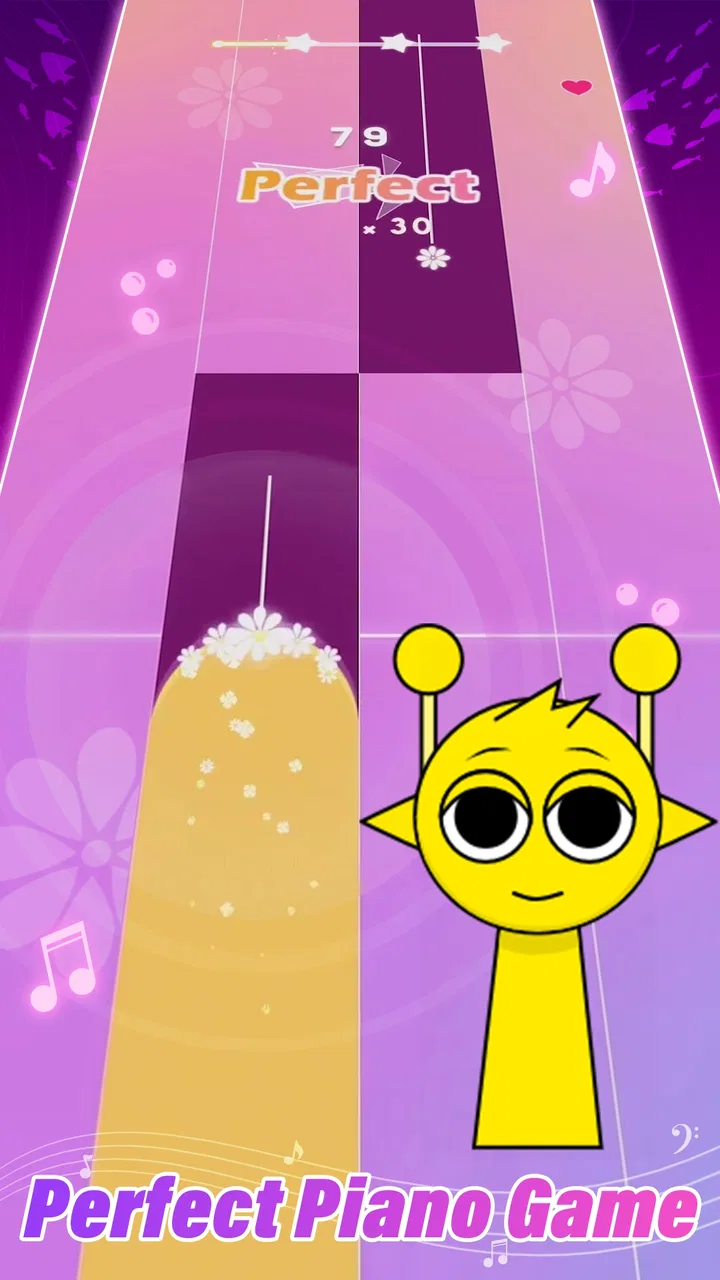
I approached Pocket Piano expecting a quick music game rather than a serious piano-learning tool, and that distinction matters from the first minute. It is a free rhythm game from SYNTHJOY GAMES built around tapping along with music, with a pocket-sized format that makes it easy to try during a short break. The appeal is immediate: you listen, watch the play area, and try to keep your taps aligned with the beat. When the timing clicks, even a brief session feels surprisingly satisfying.
That simplicity is also where most of the friction comes from. This is not the kind of game where I can ignore timing, tap randomly, or expect it to behave like a full virtual instrument. The experience depends on touch response, audio timing, visual attention, and a suitable environment. If one of those elements is off, the game can feel unfair even when the real problem is the phone, the connection, background audio, or my own setup.
After spending time with it, I see Pocket Piano as a compact way to turn familiar pop music into a focused tapping challenge. It works best for players who want quick sessions and a rhythm-game loop, not for anyone looking for music theory, realistic piano practice, or a large instrument simulator. Its 4.4 average from around 13 thousand ratings and more than 10 million installs suggest that the straightforward idea has found a broad audience, but popularity does not remove the need to understand its limits.
You May Also Like

 Blood Strike: 2.5 Anniversary
Blood Strike’s Loadouts Turn Every Drop Into a Tactical Gamble
A close look at Blood Strike’s custom loadouts: how fast access to signature weapons reshapes its battle royale rhythm, rewards preparation, and narrows the gap between fights.

 Pandora - Music & Podcasts
Pandora’s Music Is Easy to Start, but Harder to Recover
Pandora’s strength is its low-effort path from a seed to a station. Its weak spot is how much confidence it asks you to place in connection, setup, and quiet recovery.

 8 Ball Pool
 Is Built on Rivalries, Rematches, and Routine
A close look at the rivalries, rematches, shared routines, and unanswered safety questions that turn a quick pool match into a persistent mobile community.

 Samsung Music
’s Quiet Strength Is Playing What You Already Own
Its reach comes less from spectacle than from dependable access to a personal library. That simplicity is both the app’s strongest retention engine and its ceiling.

 AccuWeather: Weather Radar
AccuWeather Review: A Quick, Clear Forecast for Everyday Decisions
For everyday plans, the best forecast is the one you can understand quickly. AccuWeather makes rain timing, radar, and local conditions easy to act on, with a few trade-offs.

 Hill Climb Racing
Why Hill Climb Racing Still Turns Crashes Into One More Run
A tiny car, a bumpy hill and one more upgrade: Hill Climb Racing keeps resurfacing because its simple chaos makes every near-miss feel personal.
More From Our News Desk



Getting past the first points of friction
I find it helpful to treat the opening attempts as a quick calibration period, not a test of whether I have good rhythm. I use one song to settle into the screen, grip, and sound, then change only one thing if the timing feels off; that makes it easier to tell whether the room, audio route, or my tapping is the issue. With those basics settled, I can build a short routine that suits everyday play.
Why the opening session can feel less smooth than expected
The first obstacle is expectation. The short label “Pocket Piano” may lead some people to imagine free keyboard playing, while the actual experience is closer to a tap-to-the-beat game. I found it more useful to treat every song as a timing exercise: the goal is not to play any note I want, but to respond to the sequence presented on screen. Once I stopped approaching it like a piano app, the controls made much more sense.
A second obstacle is trying to play in a noisy place. Rhythm games depend on a reliable relationship between what I hear and what I see. If a television, conversation, or another app is competing with the music, my reactions become inconsistent. I may blame the game for missed notes when I am simply reacting late. A quiet room, moderate volume, and a stable grip make a bigger difference here than I expected.
Touch technique also matters. Holding the phone loosely can make repeated taps feel imprecise, while gripping it too tightly makes longer sessions uncomfortable. I get better results by resting the device securely and using one or two fingers with a light, repeatable motion. The best approach depends on the song and the screen layout, but frantic tapping usually creates more mistakes rather than fewer.
Simple setup checks before blaming the timing
Before starting a serious attempt, I check that the phone is not overloaded with unrelated activity. Closing demanding apps, pausing downloads, and avoiding a nearly full storage situation are sensible general steps for any touch-based game. They do not change the design of Pocket Piano, but they reduce the chance that a temporary slowdown will interfere with a song.
I also check the phone’s sound path. Wireless audio can introduce a delay on some devices, especially when the sound is routed through accessories rather than the built-in speaker. I do not assume every player will experience this, but if the visual cues and music seem out of sync, testing the phone speaker is a useful first comparison. If the speaker feels more responsive, the accessory or its connection may be the source of the problem.
Screen responsiveness deserves attention too. A dirty screen, damp fingers, a thick protector, or a case that slightly overlaps the display can make taps register inconsistently. Cleaning the screen and trying a different grip are quick checks that cost nothing. I would rather perform those checks before deciding that the game’s timing system is unreliable.
Because the game is rated Teen, it is also worth remembering that it is not aimed at very young children. That rating does not tell me how every family should use it, but parents should consider whether the music-game format and any purchase prompts suit the player. The game itself is free, while optional purchases range from $0.99 to $29.99 per item, so I would review device purchase controls before handing the phone to a child.
What to do when a session suddenly stops behaving
When a song begins responding poorly, I use a short recovery routine instead of immediately reinstalling the game. I first leave the current attempt, return to the main screen, and start again. A temporary touch or audio hiccup can disappear on a fresh attempt. If the issue remains, I fully close the game and reopen it, then test a different song or a shorter session to see whether the problem is general or limited to one moment.
Restarting the phone is a reasonable next step if other apps are also lagging. This is particularly helpful after long periods of use, heavy multitasking, or an operating-system update. I do not treat a restart as a permanent fix; it is simply a way to clear temporary system behavior before judging the game itself.
Keeping the app current can help with ordinary stability issues. The version I reviewed is 0.6.11, and the game supports devices running Android 7.0 or later. That makes it accessible to many older Android phones, but compatibility does not guarantee identical performance across every model. A newer phone may handle touch input and audio more comfortably, while an older device may need fewer background tasks running at the same time.
If progress or a session does not behave as expected, I avoid repeatedly tapping buttons or making several changes at once. I note what happened, close and reopen the game, and try to reproduce the issue in a controlled way. This is a better workflow than changing sound output, network conditions, and device settings simultaneously, because it makes it easier to identify which change actually helped.
When the game is not the real cause
Some apparent gameplay problems are really phone or environment problems. A device in battery-saving mode may limit background performance. An overheating phone may become less responsive. A notification, incoming call, or system overlay can interrupt concentration at exactly the wrong moment. These situations are not unique to Pocket Piano, but they are especially noticeable in a game where a fraction of a second can decide whether a tap feels correct.
Network conditions can also confuse the diagnosis. I do not assume every part of a rhythm game requires constant connectivity, but if a menu, song, or purchase-related screen behaves differently from the active tapping section, I check the connection before concluding that the installation is damaged. Switching between a dependable Wi-Fi connection and mobile data, where appropriate, can reveal whether the problem is local to the network.
Audio is another common false lead. If music is quiet, distorted, or missing, I check the phone’s media volume rather than the ringtone volume, confirm that silent or focus modes are not interfering, and test another audio source. If other apps also have sound problems, Pocket Piano is unlikely to be the only cause. If only this game is affected, restarting it and checking the device’s output route are sensible first steps.
It is also possible to mistake difficulty for malfunction. When I miss several taps in a row, my first reaction is sometimes to assume that the game is not reading input. A better test is to slow my hand down, watch one section carefully, and use a consistent tapping position. If deliberate taps register while rushed ones do not, the issue is probably technique rather than a broken control.
How I use Pocket Piano in everyday play
I use Pocket Piano as a small, focused break rather than something to leave running while I multitask. A useful trick is to give each replay a different purpose—first learn the pattern, then aim for steadier taps—so repetition feels deliberate instead of frustrating. That approach also makes it easier to decide whether the free experience is enough for me before considering any optional purchase.
A practical routine for short sessions
My favorite way to use the game is in small blocks rather than one long sitting. I begin with a warm-up attempt, paying attention to the relationship between the visual prompts and the music instead of chasing a perfect result. Then I replay with a narrower goal, such as keeping a steady rhythm through a difficult passage. This turns a quick game into a manageable practice loop without pretending that it replaces learning an instrument.
One useful habit is to focus on the next tap instead of staring at the score. Scores can be motivating, but watching them too closely pulls attention away from the timing window. I get more consistent results when I treat the display as a moving pattern and let the result appear afterward. This is a small adjustment, yet it makes the game feel calmer and reduces panic during faster sections.
Another practical tip is to change posture between attempts. Playing with the phone flat on a table may help me see the screen, but it can make repeated taps awkward. Holding it securely in both hands may improve stability, while a lighter grip can reduce fatigue. I do not expect one position to suit everyone; the useful point is to test comfort and consistency separately rather than assuming the most familiar grip is best.
The game fits a commute, a waiting room, or a short break, provided the surroundings allow concentration. I would not choose it while walking, crossing a street, or doing anything that requires full attention elsewhere. Rhythm games reward visual focus, and the compact format makes it tempting to play anywhere, but convenience should not override basic safety.
Who will enjoy it, and who should choose something else
Pocket Piano is a good match for someone who likes pop music, quick retries, and games that can be understood without a long tutorial. It is also suitable for players who enjoy improving through repetition. The free entry point makes experimenting easy, and I can decide whether the tapping loop suits me before spending anything. The Teen content rating gives families a clear age marker to consider, while the optional purchase range means parental controls are worth setting up in advance.
I would recommend looking elsewhere if the main goal is to learn chords, read sheet music, build finger independence, or practice a real keyboard layout. A dedicated piano-learning app will be more useful for those tasks. Likewise, a conventional music player is better if I only want to listen to pop songs without concentrating on timing. Pocket Piano sits between listening and gaming: the music is there to support interaction, not to replace a lesson or a passive playlist.
It may also disappoint players who need extensive customization, deep progression systems, or a realistic instrument simulation. The appeal is its focused pocket format, and that focus can feel limited when I want a broader music experience. I would choose a more feature-heavy rhythm game if I were looking for a larger competitive structure or a wider range of play styles.
How it compares with familiar alternatives
Compared with a piano simulator, Pocket Piano asks less of my musical knowledge but more of my timing. I do not need to understand a keyboard to begin, yet I also cannot freely experiment with melodies in the same way. Compared with a standard rhythm game, its piano identity makes the interaction feel more musical, but the experience remains based on tapping patterns rather than playing an instrument with expressive control.
That middle ground is its strongest practical advantage. I can pick it up quickly, play for a few minutes, and put it away without preparing a lesson or committing to a long campaign. The trade-off is that the simplicity may wear thin for players who want a deep sense of progression. In my case, it works best as a small, repeatable diversion rather than the only music app on my phone.
The developer, SYNTHJOY GAMES, has positioned the game around accessibility and immediate play rather than a complicated learning curve. The result is approachable, but approachability should not be confused with effortless mastery. The more I tried to improve, the more I noticed that stable audio, a comfortable grip, and disciplined attention mattered as much as fast fingers.
Purchases, device fit, and sensible expectations
The download costs nothing, which lowers the risk of trying it. Still, optional purchases from $0.99 to $29.99 per item mean I would not treat the free installation as a promise that every part of the experience is free. I prefer to play the available content first, decide whether the core loop has lasting value, and only then consider whether an optional purchase is worthwhile.
On Android, the minimum requirement is version 7.0, so the stated operating-system threshold is not especially demanding. Even so, the real experience depends on the individual phone. A device that handles other touch games smoothly is a safer bet than one that already struggles with audio playback or delayed input. I would update the operating system where practical, keep background activity modest, and test the game under normal playing conditions before making a purchase decision.
The game’s release on April 25, 2024, and its current version indicate an app that has been available long enough to attract a substantial audience while still being identified by a relatively early version number. I read that as a reason to keep expectations practical: enjoy what works, install updates when offered, and avoid assuming that every phone will deliver identical behavior.
My practical verdict
Pocket Piano is worth trying when you want a free, compact rhythm game built around tapping to music. I like how quickly it gets to the point, and I appreciate that a short session can still feel purposeful. The strongest results come from treating it as a timing game, preparing the phone properly, and accepting that missed notes are sometimes caused by environment or technique rather than the software.
Its weaknesses are closely tied to its narrow design. It is not a substitute for piano instruction, it may feel too simple for dedicated rhythm-game fans, and audio or touch inconsistencies can undermine a session until I check the basics. The optional purchase range also means I would use purchase controls and judge the core experience before spending.
For a friend who enjoys pop music and wants something playable during spare moments, I would recommend giving it a careful trial. I would suggest using the phone speaker for an initial timing check, playing in a quiet place, and restarting the app if a session suddenly feels wrong. For someone seeking a serious instrument, passive listening, or a deeply structured music game, I would point toward a more specialized alternative instead. As a focused pocket diversion, though, Pocket Piano earns its place when its simple idea matches what I want from a music game.
FAQs for Pocket Piano
01What features does Pocket Piano offer?
Pocket Piano provides a wide array of features, including a full 88-key keyboard, multiple sound options, and recording capabilities. Users can also enjoy built-in lessons, which are perfect for beginners, and advanced sheet music for seasoned players. The app supports MIDI connections for enhanced music creation.
02Is Pocket Piano suitable for beginners?
Yes, Pocket Piano is designed with beginners in mind. It offers a range of tutorials and guided lessons to help users learn the basics of piano playing. The app's intuitive interface makes it easy for newcomers to navigate and start playing immediately, even without prior experience.
03Does Pocket Piano support offline use?
Pocket Piano requires an internet connection for certain features, such as downloading new lessons and accessing updated sound packs. However, many basic functionalities, like playing the piano and using pre-downloaded lessons, are available offline, allowing users to practice anywhere.
04Are there any in-app purchases in Pocket Piano?
Yes, Pocket Piano includes in-app purchases. While the app offers a variety of free features, users can purchase additional sound packs, advanced lessons, and ad-free experiences. These purchases enhance the app's functionality and provide a more comprehensive learning and playing experience.
05What devices are compatible with Pocket Piano?
Pocket Piano is compatible with both Android and iOS devices. It supports a wide range of smartphones and tablets, requiring a minimum OS version to ensure optimal performance. Always check the app’s listing for the latest compatibility details before downloading to ensure it will run smoothly on your device.
Pros
- User-friendly interface for beginners.
- Wide range of musical scales available.
- High-quality sound output.
- Customizable keyboard settings.
- Offline mode for practice anywhere.
Cons
- Limited features in free version.
- No MIDI file import feature.
- Ads can be intrusive.
- Requires significant storage space.
- Some features need internet connection.

Pocket Piano
Gallery